Forgive your users
You are good enough for their software
It happens quite often that the UI you're using will punish you for not doing the correct thing.
You get an error popup that says "something went wrong". Or "memory violation" -- some errors are trying to make you feel like a criminal.
You lose your data. You're asked to try again. Your only option is to contact support, which is a cheap AI model trapped in a chat bubble in the corner of your screen.
Maybe you'll get a whole separate website of documentation with how-tos, tutorials, videos, references, and forums. So it's on you. You probably didn't read all the material needed to use this software.
Guardrails for humans
One of the ways designers and programmers try to protect users from themselves is... No, not by making their software robust and intuitive -- that makes no business sense, as you all know. Shitty software makes big moneys.
You get "are you sure?" modal windows. The kind that cover the thing they're asking you about. Or you get a bigger guardrail: a text box that demands you type in "Yes". Or it tells you that "you cannot undo this action" in giant red letters.
Last resort: the action won't happen until you let go of the mouse button, so you can always slide the cursor off. Kinda like in chess: it doesn't count until you let go of the piece.
Let it be
Here's a rare school of thought (no, I didn't invent this): let users do the thing as painlessly as possible. Less friction, more speed. Slide and glide, babeh.
"But, Mr. E! The user is stupid!!!"
No. The user is not stupid. The user is human. The user is allowed to fail, to experiment, to try things out instead of reading all the docs first. The user can be tired. The user can have a million things on their mind.
The user is also allowed to change their mind.
So: immediate action on click; no guardrails; no scary messages or lost data.
But how?!
Undo.
Implement easy undo functionality.
This is true comfort and peace of mind for any user. They know they can try things out and... roll back with a click of a button, without calling support. They accidentally delete the wrong thing, catch their breath, see that undo button, and feel... good. Grateful, even.
This is luxury-level software.
Also, this is very easy to achieve in 99% of software use cases.
Software is data. Data is just numbers in memory. We have almost full, god-like control over it (we = software engineers). We can implement UNDO for everything and anything. There are no laws of physics in the way.
Yes, there are actions that must NOT have an UNDO. But those are specific. Those can have a warning sign. And those are usually what users want (wipe my phone before I sell it to make sure there's no personal data left, etc.).
You just need to be willing to treat your users well, to design UNDO into everything from the start, and to spend some extra time coming up with the right data structures to support it. It's easier than you might think... WHEN you start thinking about it.
Examples from the Couch
When I implemented the first version of Couch, it was pretty unforgiving. It had just one interaction: I type in a number and hit Enter -- the reps get added to the Total on the screen, and a bar appears in the chart.
If I type the number twice -- 'cause I'm doing it during workouts, and my hands are shaking and hard to control -- I'll get the wrong number and the wrong bar chart. And there's no way to fix it other than restarting the app and re-entering ALL the previous numbers, plus the one I messed up.
So I added an input box. When I type in the numbers, I get an input box that shows me what I've typed, with Backspace support. I hit Enter only when I'm happy with the number.
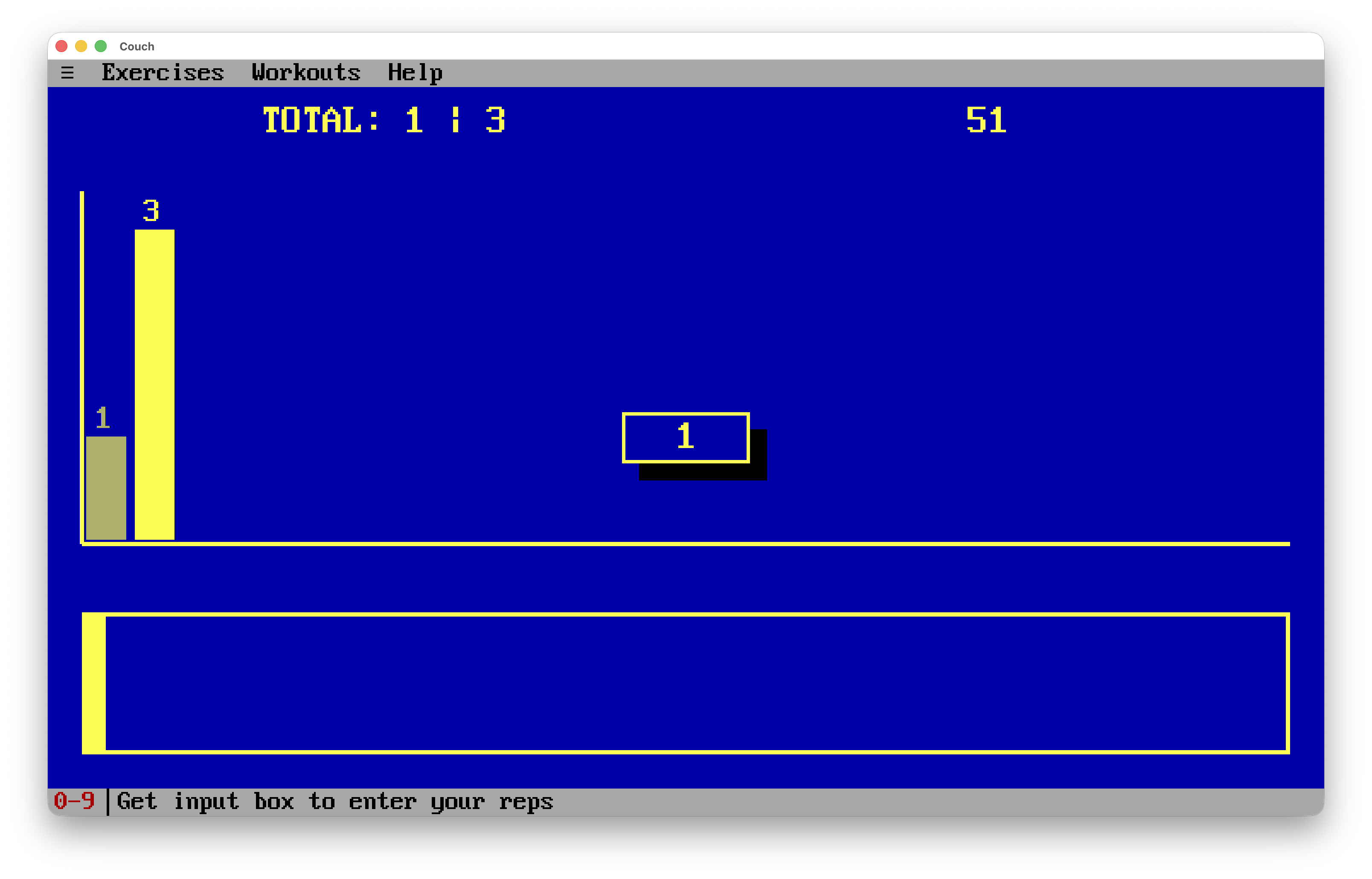
That helped a lot. But I would still sometimes enter an incorrect number and hit Enter too quickly, without checking it.
Now... that didn't happen as often, but when it did, it was still very painful -- a whole workout had to be retyped quickly while I still remembered all the numbers (in between sets!).
So I added an UNDO -- an edit function. A very simple one, for now.
If I enter a rep count incorrectly, I can click on the bar for that number and get the same input box, which lets me enter a different number, hit Enter, and overwrite the wrong one.
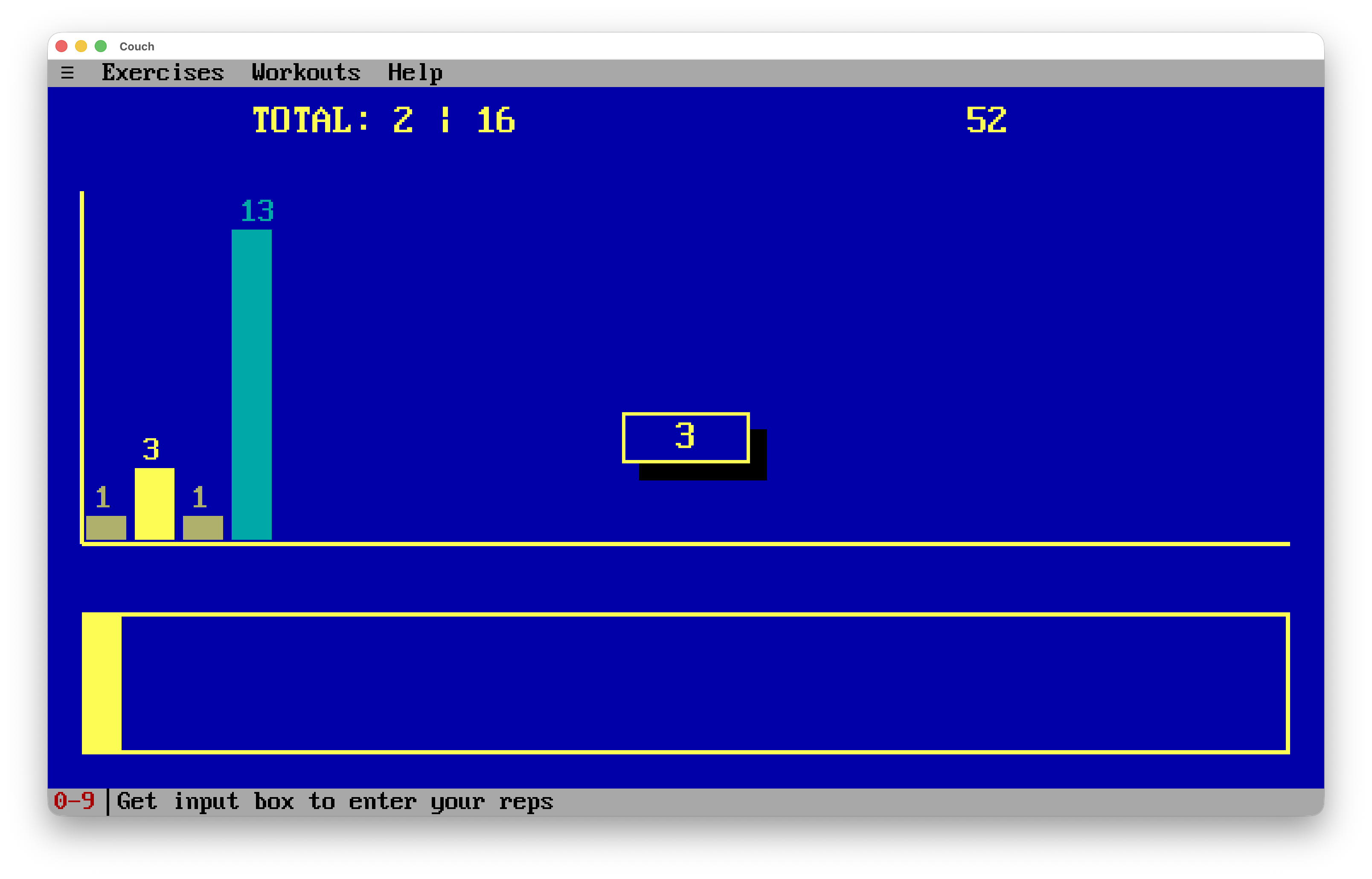
This closed the loop: nothing asks for confirmation, the number of actions is the same, but I can always go back and change things very easily, without leaving the context or the workout.